

Crafting with confidence
Crafting at home has always been popular in certain circles, but with the introduction of purpose-built machinery and software, a whole new audience has jumped onto the endless possibilities that crafting presents. Metropol’s gadget guy Ian Knott puts the new Cricut Maker 4 through its paces.
The Cricut Maker 4 feels more like a subtle tightening of the screws than a complete reinvention. If you expect a major redesign of what a cutting machine can do, this isn’t it. Instead, it offers a refined evolution of a platform that already worked well, with a few changes that become noticeable when you start using it.
Right out of the box, the Maker 4 feels familiar if you’ve used a previous Maker. The design is mostly the same, the workflow is recognisable, and most tools and accessories work just fine with it. This is intentional. Cricut clearly chose to improve rather than disrupt things, which makes sense for anyone already invested in the system.
Visually, the Maker 4 comes in two colours: sage and seashell. I have the sage version, and it looks great. It feels thoughtful rather than flashy, with a muted tone that fits a creative workspace without being too loud. It weights a considerable amount for something that’s not exactly huge, so needs a sturdy work surface. There should be enough space in front and behind the unit so materials can feed through easily. Putting it against a wall or in a tight corner doesn’t work well.
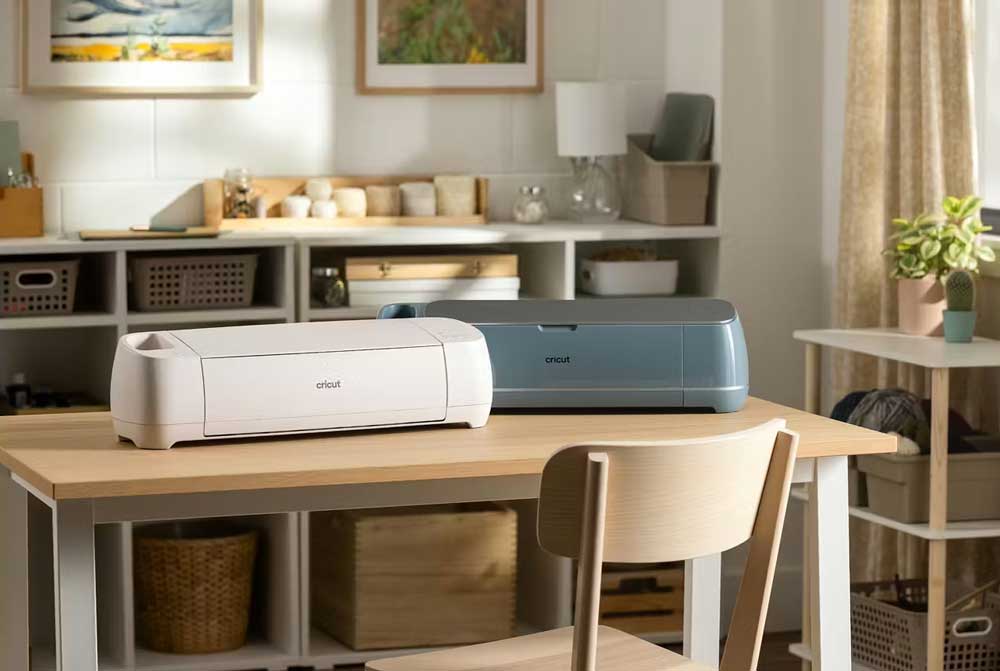
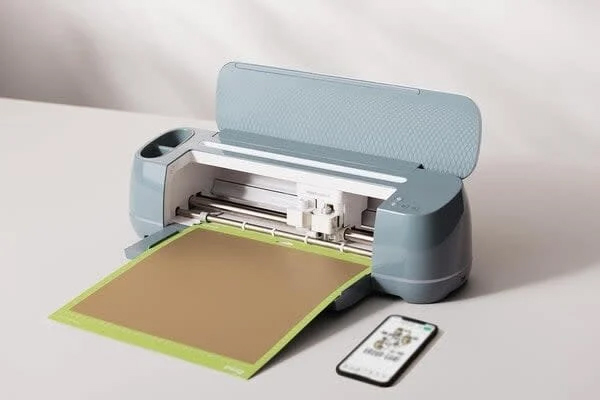
In terms of capability, the Maker 4 can handle over 300 materials, ranging from paper and vinyl to leather, matboard, and balsa wood. It can cut, score, deboss, engrave, foil, and write using the same adaptive tool system that defines the Maker line. While these features aren’t new, it’s still impressive how versatile the machine is.
Where the Maker 4 really stands out is its speed – twice as fast as its predecessor. Cricut rates it at up to 35.8cm per second with compatible materials. While numbers only tell part of the story, the difference is clear during longer runs. This is particularly important when cutting vinyl, especially smart materials, as the machine can move quickly without losing accuracy. When you’re batch cutting decals, signage, or heat-transfer designs, the time savings accumulate faster than you might think.
That speed boost is especially helpful if, like me, you mainly work with vinyl. The Maker 4 confidently handles standard vinyl, but really shines with iron-on vinyl for T-shirts. Cuts are clean and consistent, weeding is easy, and even intricate designs stay intact. Long runs of iron-on for multiple shirts are much less tedious than on older machines because the cutter gets through the work more quickly.
Smart Materials continue to be one of Cricut’s main advantages, especially for vinyl projects. Feeding material directly into the machine without a mat saves time and reduces waste, but it also emphasises the need for space. Long cuts need clear run-out behind the machine, which rules out shelf placement or cramped setups.
There are also some newer material options worth mentioning. Cricut has introduced a magnetic sheet designed specifically for making fridge magnets, and the Maker 4 handles it well. It makes precise cuts, the edges are clean, and the finished magnets are sturdy enough for everyday use instead of just being novelty items.
Another recent addition is printable paper for temporary tattoos. When used alongside an inkjet printer, the Maker 4 can accurately cut printed designs into wearable temporary tattoos. While it leans toward novelty, it works as advertised and opens up creative options for events, parties, or short-run projects.
Design Space, Cricut’s software platform, is both a strength and a slight frustration. It’s user-friendly, well supported with templates and tutorials, and perfectly suitable for vinyl cutting and iron-on work. However, its reliance on cloud connectivity and sometimes clunky interface can slow things down until you get the hang of it. Once you pass that learning curve, it becomes less of an obstacle.
Compared to the Maker 3, the differences are subtle rather than revolutionary. Both machines use the same tools, materials, and workflows. The Maker 4 is faster, a bit quieter, and enjoys small improvements in tracking and operation. If you already own a Maker 3 and like it, there’s no strong reason to upgrade. For new buyers, the Maker 4 makes more sense as it represents the most polished version of the platform.
In daily use, the Maker 4 does what you ask, as long as you provide the space it needs. It is reliable, predictable, and accurate, which is exactly what you want from a tool central to creative projects. Whether you’re cutting vinyl for shirts, making decals, creating magnets, or trying new materials like temporary tattoo paper, it feels capable without being overwhelming.
The Maker 4 doesn’t aim for dramatic change. Instead, it focuses on making something good slightly better in ways that truly matter when you use it. Faster cuts, wide material support, compatibility with existing tools, and a design that clearly expects a proper work surface all contribute to a machine that feels confident and mature.
Taken as a whole, the Cricut Maker 4 feels like a machine that knows exactly what it is for. It is fast, versatile and dependable, particularly for vinyl work where accuracy and repetition matter. Rather than chasing dramatic change, it focuses on refinement, and that shows in daily use. If your projects revolve around iron-on designs, decals or small production runs, this is a tool that rewards time spent with it and scales comfortably from one-off ideas to longer runs.